Segments Screen
Filter Segments
Filter the Segments based on the following types:
- Filter By Name: Filters the segments based on the segment name.
- Filter By Metadata Attribute: Filters the segments based on Metadata Attribute.
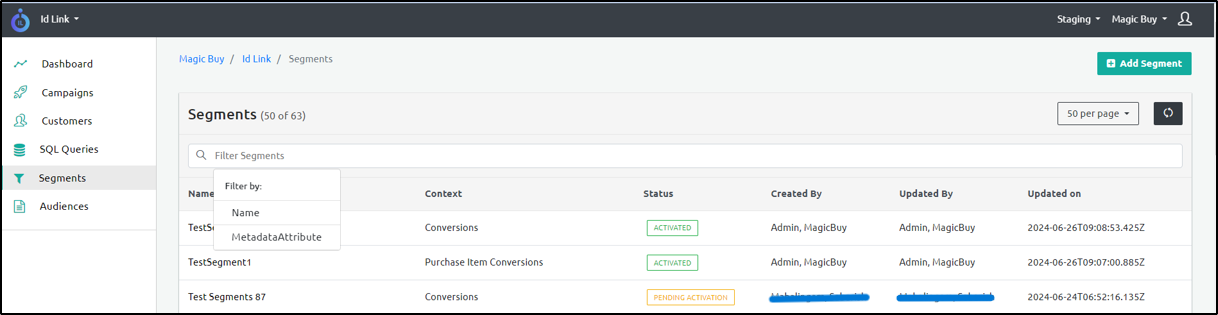
The following are the additional fields that appear on the Segments screen.
| Column Name | Description |
|---|---|
| Name | Denotes the segment name. |
| Context | Denotes the context of the segment: - Conversion Events - Orders - Conversion Comparison with CRM Data - User Visits Stats |
| Status | Denotes the status of the Segment: - Activated - Pending Activation - Deleted |
| Created By | Denotes the user who created the Segment. |
| Updated By | Denotes the user who updated the Segment. |
| Updated On | Denotes when the Segment is last updated. |