Edit Pipeline Triggers
After creating a pipeline, you can edit the Trigger to define the cron expression for exporting the data.
Perform the following steps to edit the Destination:
From the left navigation panel, select Pipelines.
Click the pipeline you want to edit.
Click Trigger.
Click Edit to the right of the Trigger section.

Define the cron expression for the trigger.

- Click Save at the top right of the screen.
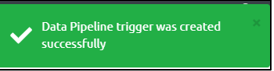
Step Result: The data Pipeline Trigger is successfully created.