Data Sources Screen
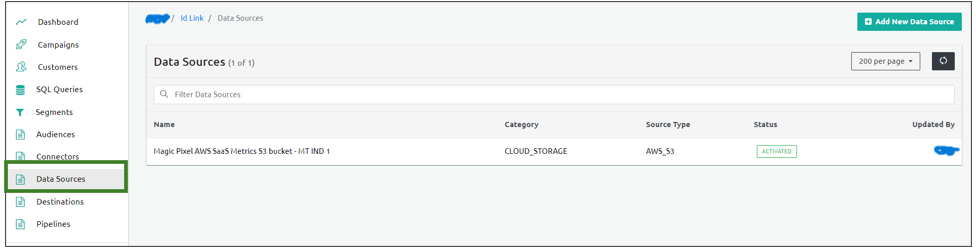
This section describes the Data Source screen UI elements.
Filter Data Sources
Using the Filter Data Source option, you can filter the Data Source based on the following types:
- Filter By Name: Filters the Data Sources based on the name.
- Filter By MetadataAttribute: Filters the Data Sources based on Attribute Value.
Clear Search
The Clear Search option resets the filter criteria applied.
The following are the additional fields that appear on the Data Sources screen.
| Column Name | Description |
|---|---|
| Name | Denotes the Data Source name. |
| Category | Denote the category of the data source. Example, Cloud Storage |
| Source Type | Denotes the type of data source |
| Status | Denotes the status of the Data Source. - Activated: The Data Source is activated. - Pending Activation: The Data Source is pending activation. |
| Updated By | Denotes the user who updated the Data Source. |